 1 More Hug
For iPhone · coming soon to the App Store
One more hug with someone you love and miss.
Two of your own photos become a 10‑second video of them walking up to you for one more hug. It's made by AI, checked on your phone, and kept only on your phone.
No sign-in, no subscription, no ads, no notifications. For adults 18 and over.
“The photo of my grandpa Jack was taken 15 years before I was born. He died when I was 6. I'm 40 in this video. It means a lot to me and my dad.”
Mike, who made 1 More Hug
How it works
You choose everything, and you see exactly what will be made before anything is sent or spent.
- Pick two photos. One of you, and one of them from head to feet. For them, you can also use a cut-out you made in CutoutXR, from a video or a photo.
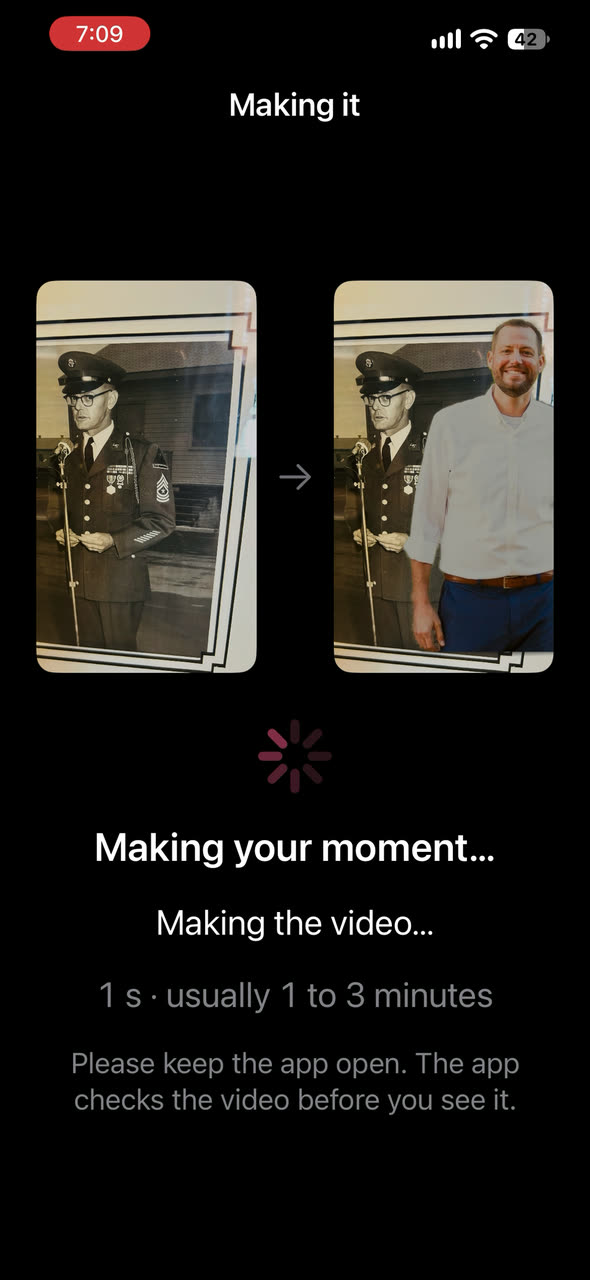
- Tap who is who. The app cuts each person out on your phone.
- Enter your real heights and choose where they stand, so you stand together the way you really would.
- Check before making. You see the start and end pictures and the exact instructions. Nothing is made until you say so.
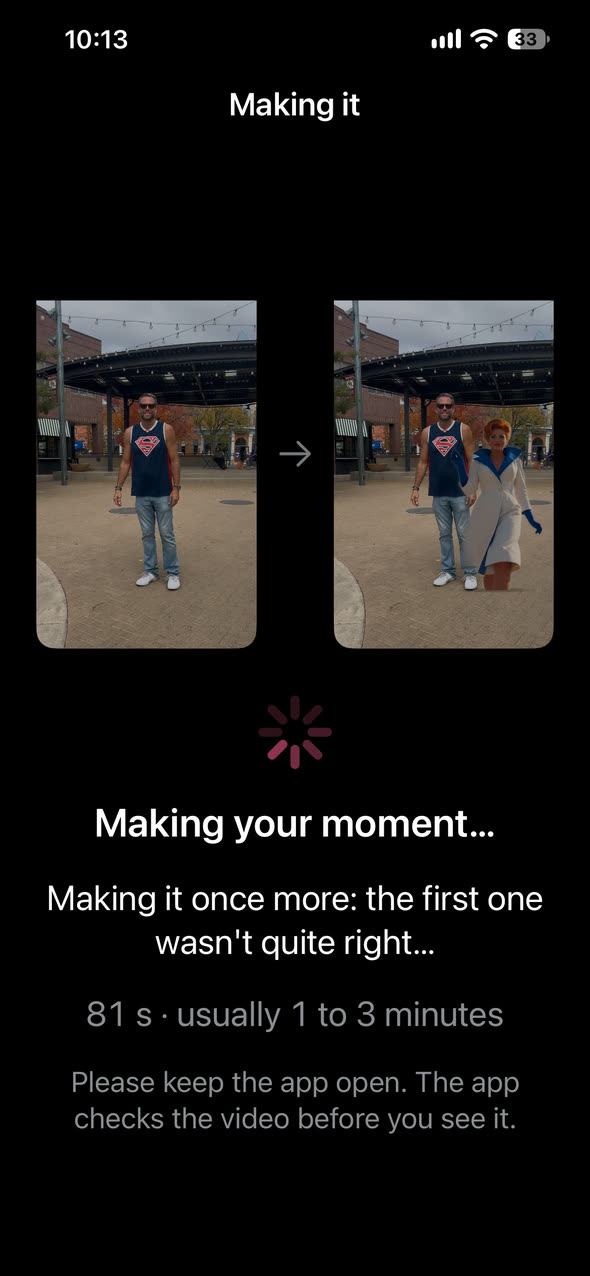
- Tap Make. In one to three minutes, your 10‑second video is ready. Keep the app open while it works.
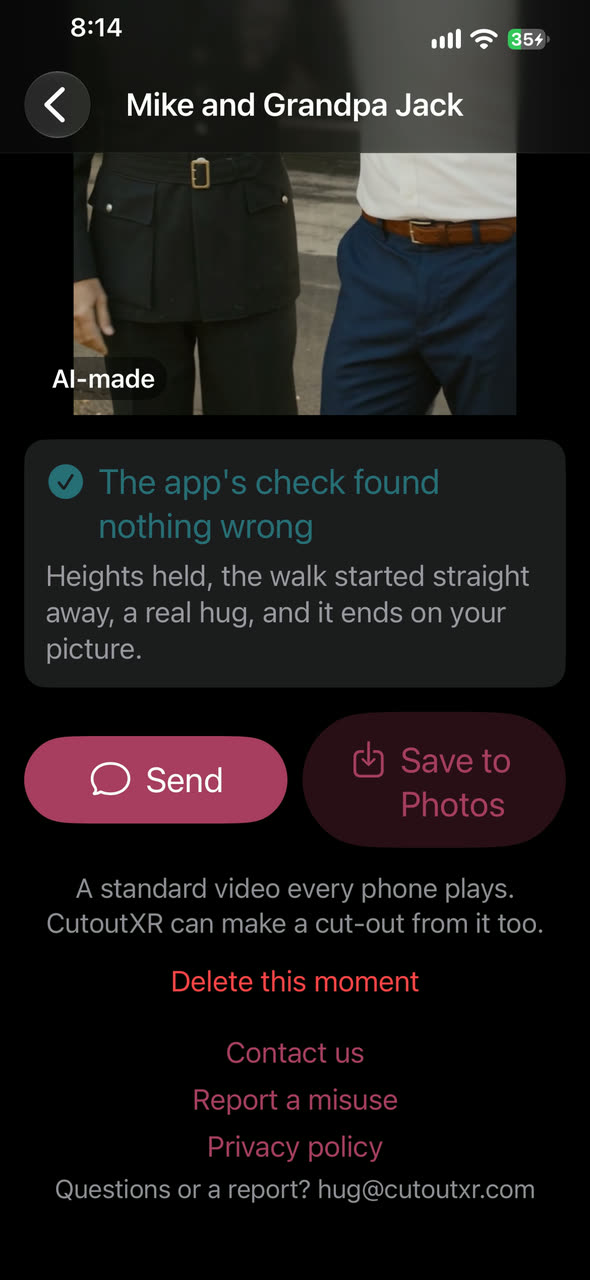
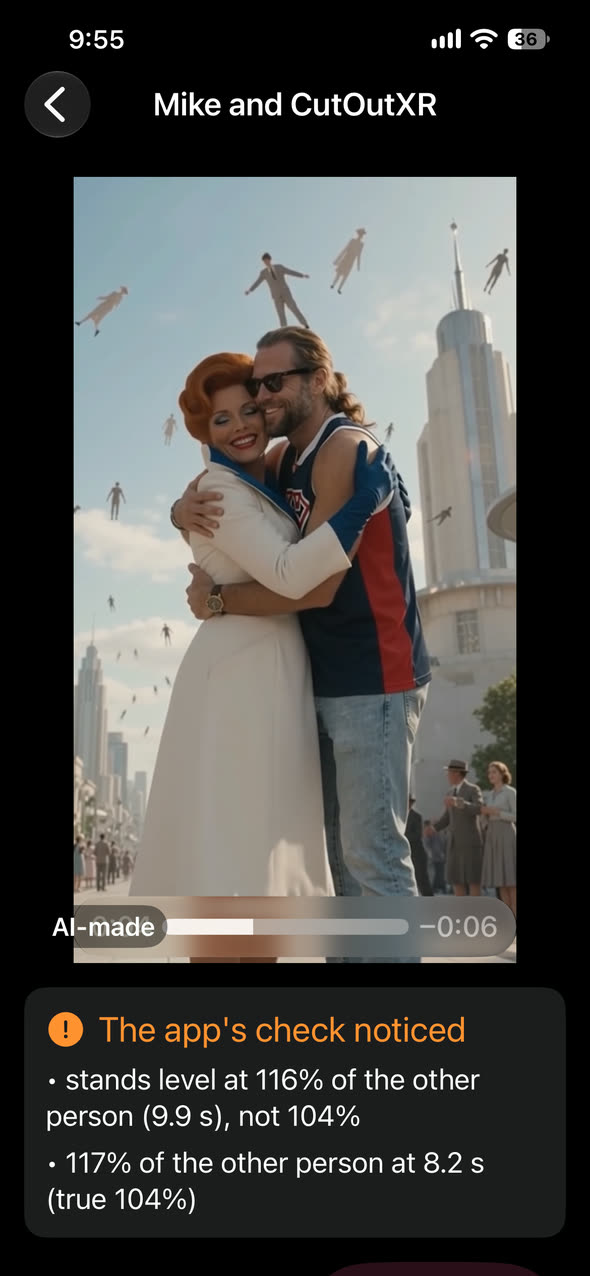
- The app checks every video before you see it: heights held, a real hug, and an ending on your picture. If the check isn't happy, it tries once more at no extra cost.
- Keep it in My moments, save it to Photos, or send it to family.
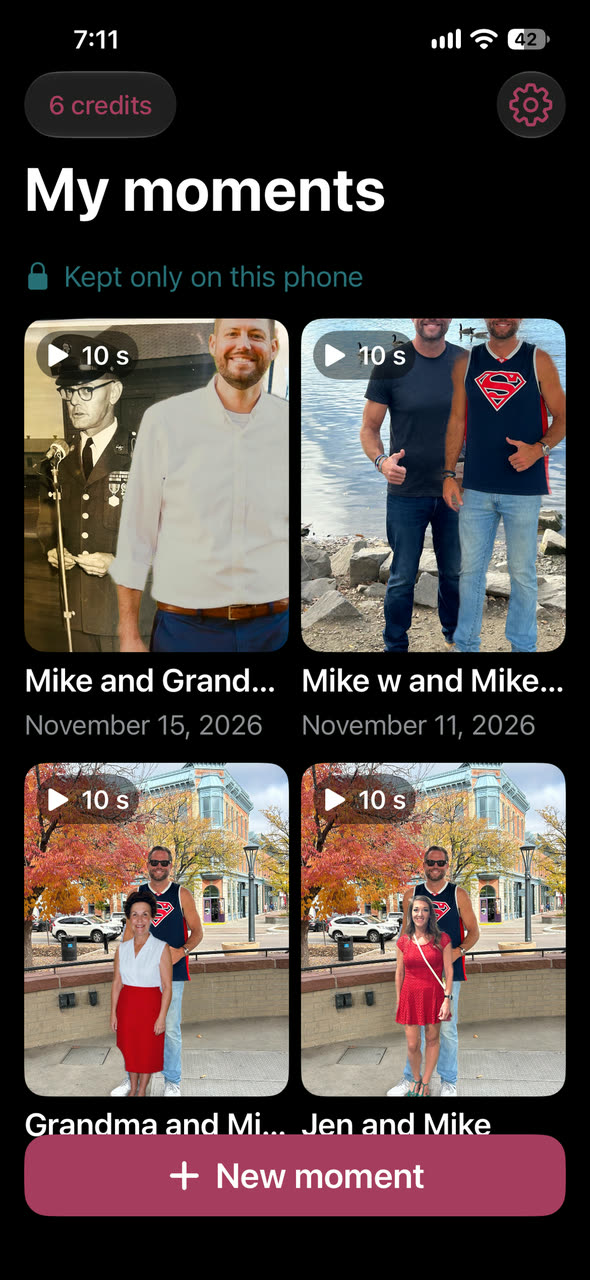
Hugs from our family
Each one started as photos: most from our family, and one just for fun.









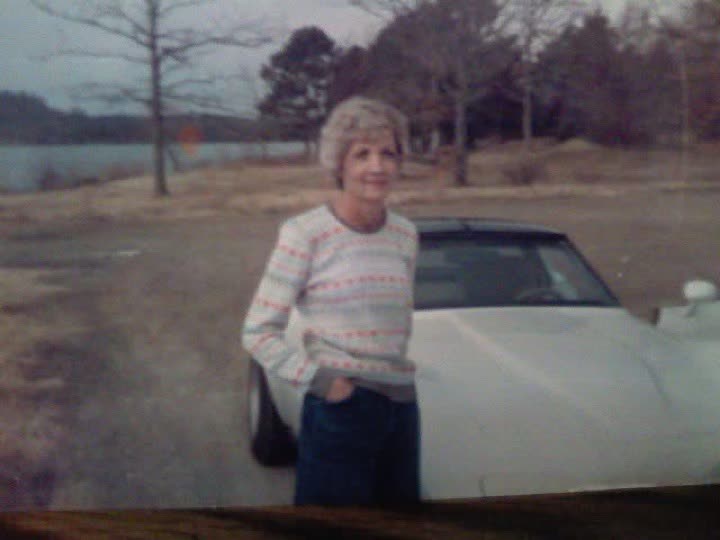


Set it up well: the same hug, twice
We made this hug twice: first set up badly on purpose, then set up well. Same two pictures, same app.
The two pictures


What went wrong the first time
Her picture was the scene, and Mike walked in. His face and hair are tiny in his photo, so the AI had to guess what he looks like up close and moving, and it gave him a ponytail. Her busy, stylized scene, cut off at the legs, gave it little to stand on. The heights came out wrong too, and the app's check flagged it.
What we changed
We swapped them. Mike's photo, full length in a real place, became the scene, and she walked in. That was the whole fix.
For a hug you'll want to keep
- Think about who walks in. Your photo sets the scene. Pick the photo that makes the better scene, full length in a real place, and let the other person walk in.
- Faces clear and not too small. Close enough to see their eyes.
- Real heights, so you stand together the way you really would.
- Look closely at “Check before making”. If the start and end pictures don't look right, go back and change them before you tap Make.
- Trim the ending if you like. Each video ends by moving from the hug to the end picture. To end on the hug, trim the last second in the Photos app.
A credit is used for each finished video. If the app's check isn't happy, it tries once more for free, and if a video can't be made, your credit is returned. But no check can make a good hug from a poorly set up one, so a few minutes choosing your photos, and who walks in, is the best way to get a video you'll love.
From the makers of CutoutXR
Then see them life-size, in your room
1 More Hug is made by CutoutXR LLC, and it works hand in hand with our CutoutXR app, which turns a person in any video or photo into a life-size cut-out that stands in your room.
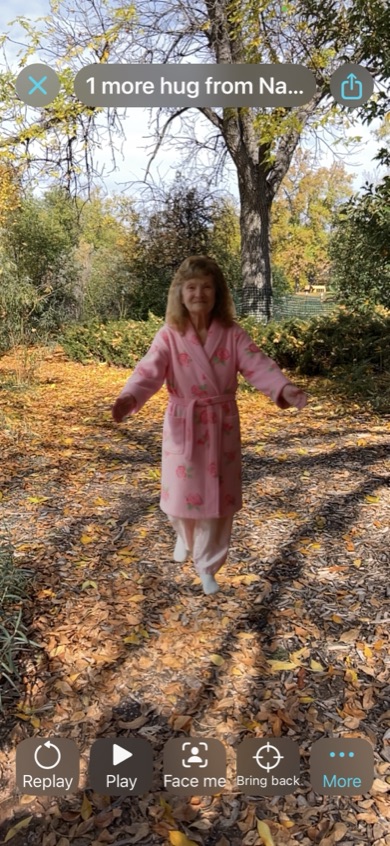
- Start from a CutoutXR cut-out. In step 2, tap “CutoutXR cut-out” instead of a photo. A cut-out from a family video or an old photo makes a great start. Unlocked CutoutXR gives a clean cut-out; the free version's small mark would show in your hug video.
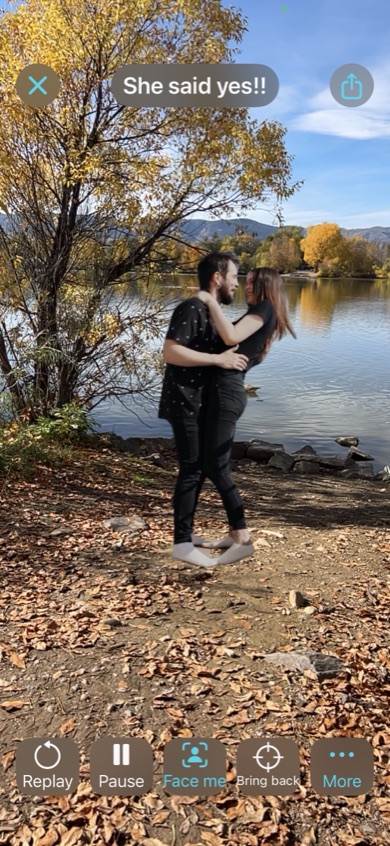
- Turn your hug into a cut-out. Every 1 More Hug video is a standard video, so CutoutXR can make a cut-out from it too. Tap who to keep, and the background is gone. No green screen.
- Stand with them, life-size. Watch the cut-out in your own room through your iPhone's camera, or in a Meta Quest headset, in passthrough or in VR (virtual reality), with CutoutXR for Mac.
- Private by design. CutoutXR's AI runs on your iPhone or Mac. No account, and your videos and photos are never uploaded.
CutoutXR for iPhone and iPad (iOS 26 or later) is free with photos, and videos up to 20 seconds, with a small mark. A one-time unlock, $9.99 at launch (regular $14.99), removes the mark and allows videos up to 60 seconds. CutoutXR for Mac is a free download for Apple silicon Macs; the paid versions start at $9.99 at launch, one time (Mac prices). Meta Quest 2, 3, 3S and Pro. More about CutoutXR.
An honest word
This is an AI-made picture of a hug that never happened. It can look very real, and it can stir strong feelings. Some people find it comforting; some find it painful. You can stop at any point, and nothing is made until you say so.
Please use your own family photos, with the family's blessing. Public figures aren't allowed. In the app, every video carries a small “AI-made” label; the videos you save are clean, so you can keep them as they are.
If grief feels heavy, you don't have to carry it alone. In the US you can call or text 988 at any time; the app's Settings links to it too.
Where your photos go
- Nothing leaves your phone until you tap Make. Then only the two pictures the app made (the start and the end) go to Google's Gemini, through our relay, to make your 10-second video.
- Google is told not to store them, and they aren't used for training.
- Our relay deletes them as soon as the video is made, and deletes the video once your phone has it.
- Your photos and your moments stay on your phone. We don't publish or host videos, and we keep no copies.
Prices
One credit makes one finished video. Buy them in the app, through the App Store. No subscription.
- One pack, several hugs: one for each of you with the same loved one, or one with each grandparent.
- Credits don't expire. They're kept on the iPhone you bought them on, so unused credits go if you delete the app.
- If the check isn't happy, the app tries once more at no extra cost. If a video can't be made, your credit is returned.
- Good photos make good hugs. A credit is used for each finished video, so see how to set it up well before you start.
Prices in US dollars; the App Store shows your local price.
Questions?
Email hug@cutoutxr.com, and we'll answer as soon as we can. To report a misuse, put “Report” in the subject. Support and answers.
1 More Hug is for iPhone and is coming soon to the App Store. Until then, CutoutXR for iPhone is free to try today.