 Cutout
Check your form
Film your push-ups or squats, then walk around yourself life-size and see what the mirror can't.
Free to try on iPhone and iPad · Mac app for Meta Quest
Cut out anyone or anything from any video or photo and see them life-size in your room: through your iPhone or iPad camera, or in a Meta Quest with the Mac app. Videos move, with their sound; photos stand still. Your videos and photos are never uploaded.
Simulated headset view · real 3D cut-outs · some clips AI-generated
Film your push-ups or squats, then walk around yourself life-size and see what the mirror can't.
Dance routines, golf swings, martial arts. Slow them down and learn them standing right next to you.
A first dance, a toddler's first steps, a grandparent's laugh. Back in the room with you, life-size.
School concerts, recitals, team games. Cut out only your child, and leave everyone else's kids out of it.
Trim and join clips with smooth crossfades into one longer performance for your room.
How it works
Drop in almost any video or photo: MP4, MOV, MKV, WebM, AVI, HEIC and more. Phone clips are perfect.
Click on the person (or people, or objects) you want. On-device AI follows them through every frame. If it slips, a click or two fixes just that moment.
Open CutoutXR in the Quest Browser and press Enter AR to see it in your room, or Enter VR. Nothing to install on the headset. Your Mac streams it privately over your own Wi-Fi.
Now on iPhone and iPad
CutoutXR for iPhone and iPad is out now. Pick a video or photo, tap the person, and they stand in your room, life-size, seen through the camera. No headset and no Mac, and your videos and photos never leave your phone.
Get it free on the App StoreNot available in the EU at launch.
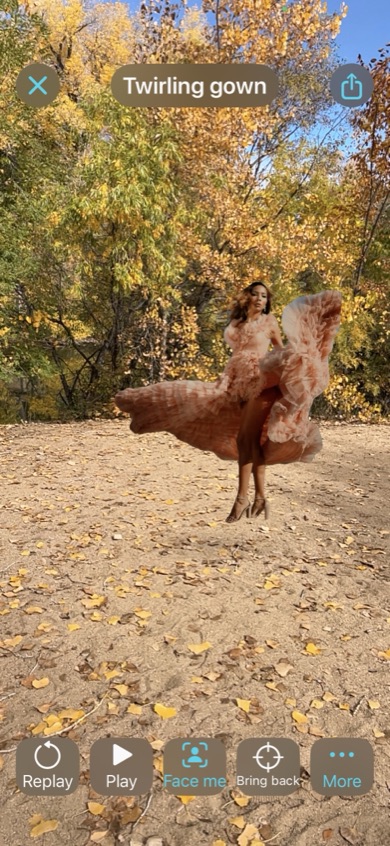
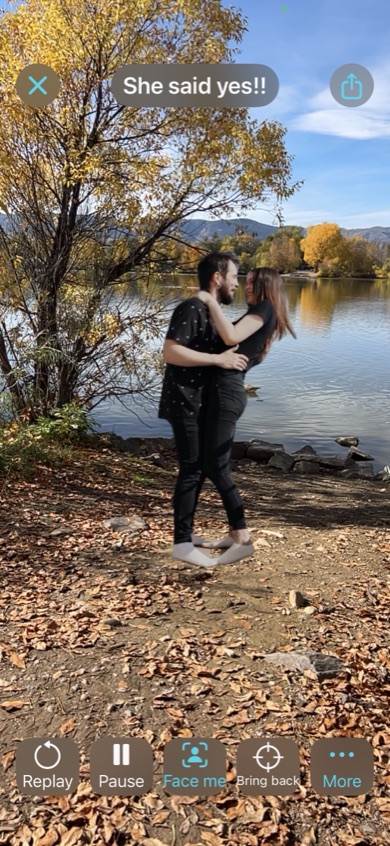
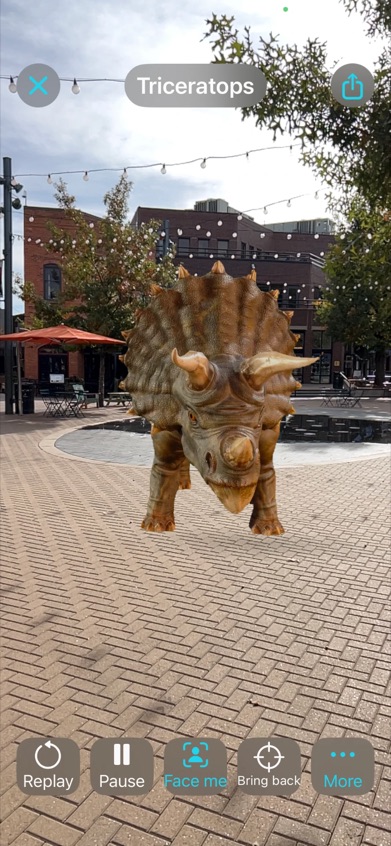
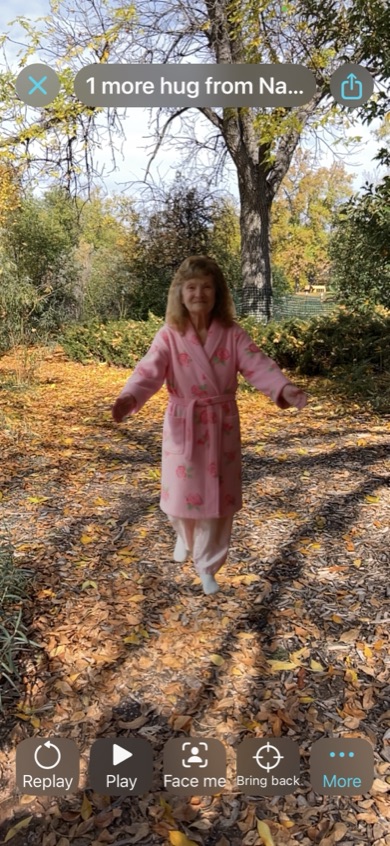
Sister app · coming soon to the App Store
From the makers of CutoutXR: two of your own photos become a 10-second, AI-made video of someone you love walking up to you for one more hug. Then cut it out in CutoutXR and stand with them, life-size, in your room.

Music video
Music video made with AI: the singer, the song and most pictures. The two app shots are real and labelled.
For parents
You filmed the whole winter concert, but Grandma only wants to see one singer. Tap your child and CutoutXR cuts out just them, following them through the song. Every other child is left out of the cut-out, and your video never leaves your phone.
Pick the video or photo, then tap them. If a classmate's arm crosses in front, tap it with Remove.
CutoutXR follows them through the song. Slide through the clip to check that nobody else is in it.
She opens it in the free CutoutXR app, holds up her phone and, through the camera, watches them sing life-size in her own living room.
The AI runs on your iPhone. Your video isn't sent to us, to an AI service or to anyone. We never see it.
Classmates stay in your own video, on your phone. They're not in the cut-out you send.
The only thing that leaves your phone is the cut-out you send, to the people you send it to.
Works with photos too: cut just your child out of the class picture, and they stand life-size in Grandma's room as a still cut-out.
Free: videos up to 20 seconds, with a small CutoutXR mark. The one-time Unlock allows up to 60 seconds, with no mark. The cut-out keeps the video's sound. Grandma needs the free CutoutXR app on an iPhone or iPad to watch it. On a Mac, everything stays on your Mac too, and you can export just your child as an ordinary video on a transparent or green background.
See it in action
Real CutoutXR sessions, recorded on a Mac: add a clip, click what to keep, and get a life-size 2D or 3D cut-out for your Quest. Most take under a minute to watch. Waits are sped up; everything else is real time. Headset scenes are shown in a simulated headset view.
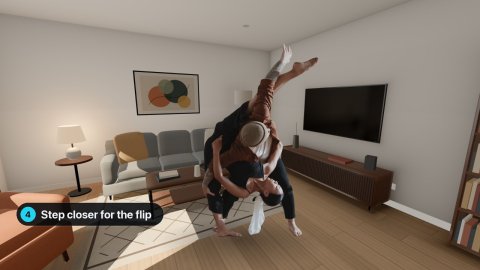 0:48
Dancers in your living roomA couple, life-size on your coffee table. Then lifts and a flip on your floor.
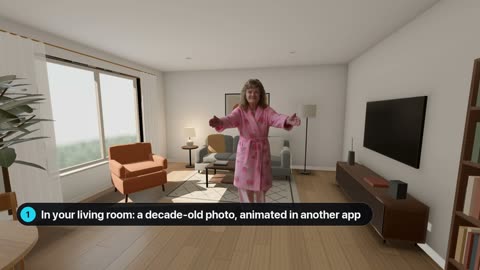 0:22
1 more hug from NannyA decade-old photo, animated in another app, then cut out in CutoutXR: she comes to you for a hug.
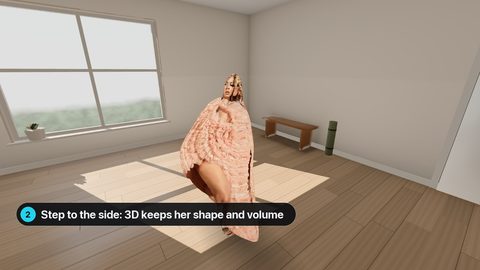 0:35
2D, then 3DThe same twirling gown both ways: see what 3D adds.
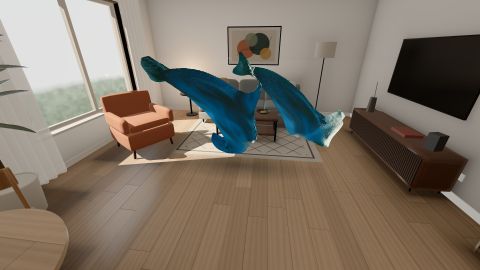 1:04
Dolphins leaping out of your floorA 4K clip becomes a 3D cut-out, splash and all.AI-generated clip
 0:34
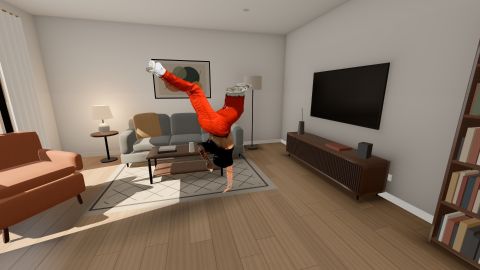
A breakdancer in your living roomA few clicks on him, then he spins life-size in 3D.
 0:46
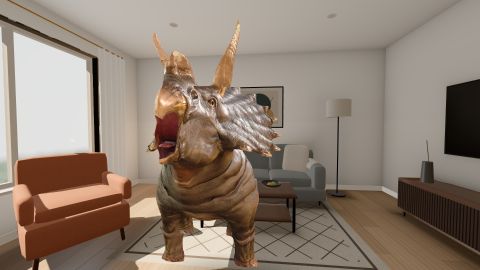
A triceratops at homeA green-screen clip, edges tightened, in real 3D.
 0:52
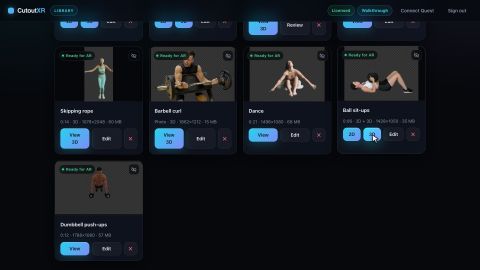
2D and 3D, both keptMake both from one video, switch any time.
 0:33
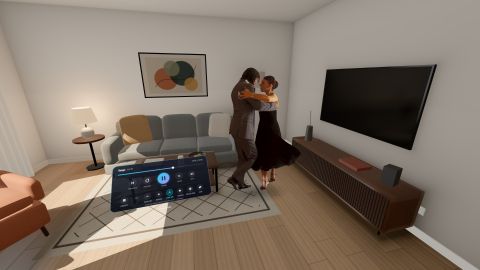
Size and place them anywhereDrag dancers to open floor, resize them as they dance, slide the menu aside.
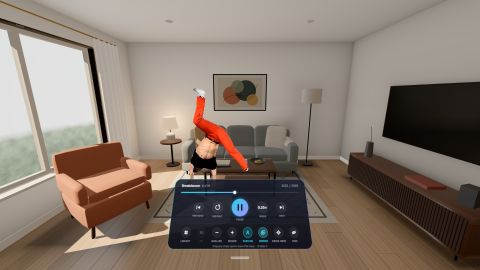 0:30
Learn the movesHalf speed, quarter speed and mirror, right from the headset menu.
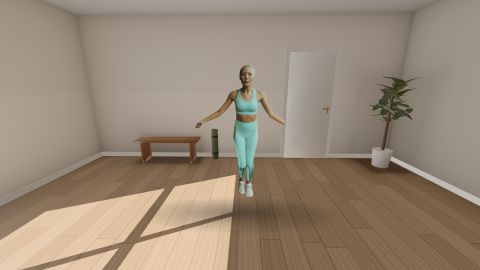 0:34
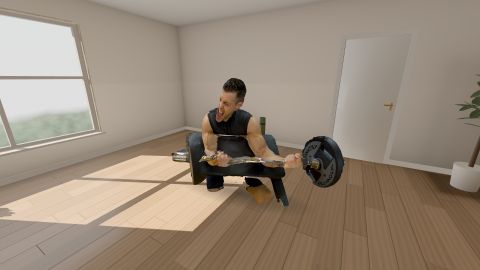
Combine clips into one routineTrim, size and fade cut-outs together, all on one floor.Includes an AI-generated clip
 0:26
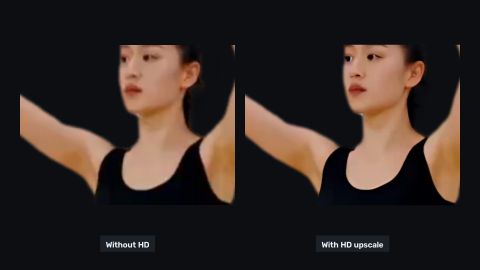
Free HD upscaleA small 624-pixel clip, made sharp by AI on your Mac.AI-generated clip
 0:29
From a photo to a 3D figureOne still photo becomes a life-size 3D cut-out.
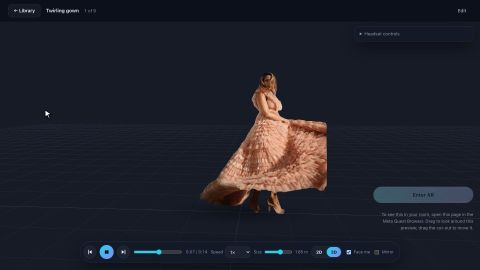 2:20
A dancer in a gown, start to finish4K video to 2D and 3D, with the camera steadied.
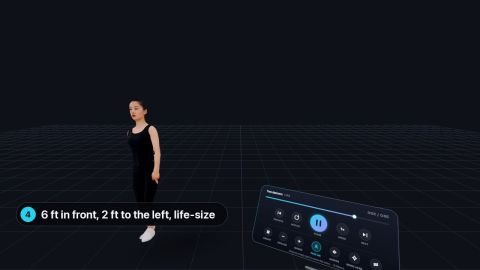 1:20
Two dancers, one cut-outKeep one, fix a patchy moment, place her in your headset.AI-generated clip
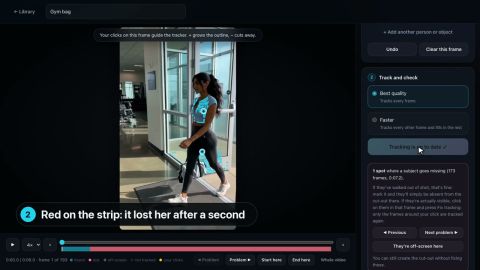 1:25
When tracking slipsJump to the problem frame and fix it in a few clicks.AI-generated clip


Every video and cut-out here was made in CutoutXR. Most start from licensed stock clips, and the people in those aren't connected with CutoutXR. Some start from AI-generated clips; those demos are marked "AI-generated clip". "1 more hug from Nanny" is made from a family photo, used with the family's permission.
In your headset
Drag dancers to open floor, make them bigger or smaller while they dance, and slide the menu out of the way, all with one controller.
Features
No account, no cloud, no uploads. Cutting out, tracking and playback all happen on your Mac and your headset.
Anti-flicker smoothing and edge clean-up, so your cut-out doesn't strobe or wear a halo of the old background.
Turn 480p and 720p videos into sharp 1080p cut-outs with AI that runs on your Mac's Neural Engine.
Put cut-outs in any order, trim each one, and fade between them. Everyone stands on the same floor.
Add a click where tracking slipped and CutoutXR re-tracks only that moment, not the whole video.
Play, pause, resize and move everything with just your right controller, from a menu you can place anywhere.
Pricing
$9.99
One-time Unlock in the app · no subscription · $14.99 after launch
Free on the App Store, then Unlock inside the app. For iPhone with iOS 26 or later; also runs on iPad (iPadOS 26) as the iPhone version, enlarged. US price; the App Store shows yours. Not available in the EU at launch.
CutoutXR for Mac, with Meta Quest
On your phone? CutoutXR for Mac installs on a Mac. Send yourself the download link for later, or get CutoutXR for iPhone free right now.
$0
Try it free first
$14.99 $9.99
One-time payment · no subscription
$29.99 $19.99
One-time payment · no subscription
Not sure which one? The free version lets you try both: every 2D feature, plus 20-second 3D previews. And if you buy CutoutXR now, Pro is a $5 upgrade during launch.
The iPhone and iPad app and the Mac app are bought separately: a Mac licence doesn't unlock the iPhone app, and the iPhone Unlock doesn't unlock the Mac app.
Mac prices are in US dollars; sales tax or VAT may be added at checkout. Lost your licence key? Get it again.
Windows PCs aren't supported yet. Choose "Windows PC" when you leave your email so we know you're waiting. No Mac? CutoutXR for iPhone and iPad is on the App Store, free to try.
FAQ
No. CutoutXR processes and stores everything on your Mac. Your Quest plays the cut-outs straight from your Mac over your home Wi-Fi, using an encrypted connection and a passcode. On iPhone and iPad, your videos and photos never leave the device either, and a cut-out you send as a link is locked first, so not even CutoutXR can see it.
Yes. Tap or click your child and CutoutXR follows them through the video, or cuts them out of a photo. If someone crosses in front of them, mark that part with Remove, then check the cut-out before you share it. Everything happens on your iPhone, iPad or Mac, so the original video, with everyone in it, never leaves your device. Only the cut-out you choose to send does.
A person, pet or object cut out of a video or photo and placed life-size into your real room in augmented reality, seen through a headset's passthrough or a phone or tablet camera. A cut-out from a video moves; one from a photo stands still. More about AR cut-outs.
No. Download the app, and if you buy it, enter a licence key once.
Meta Quest 2, 3, 3S and Pro, in the Quest Browser. On Quest 3, 3S and Pro your room shows in colour; Quest 2 shows your room in black and white, and the cut-out itself is always in full colour. Other headsets, such as Apple Vision Pro, Pico or PC VR, aren't supported yet.
Yes. In the Quest Browser, press Enter AR to see the cut-out standing in your room through passthrough, or Enter VR to watch it in VR. Here's the step-by-step guide.
Yes. A photo makes a still, standing cut-out, and with CutoutXR Pro it can become a 3D figure. It works with old family photos too: see how to turn a photo into a life-size AR cut-out.
A 2D cut-out is a flat, life-size picture of the person or thing that turns to face you. A 3D cut-out (CutoutXR Pro) adds real depth, worked out by AI on your Mac, so faces, arms and clothes stand out as you walk around them. You can keep both versions of a video and switch between them any time. Without Pro you can still try 3D: you get 20-second 3D previews with a small CutoutXR mark.
A steady camera (a tripod or a propped-up phone) with the whole person in shot. Up to 5 minutes of each video is used. Photos work too.
No. Pay once and keep the version you bought. The free version never expires.
Yes: transparent ProRes 4444 for Final Cut Pro, Premiere Pro, DaVinci Resolve and After Effects; a smaller transparent HEVC for Final Cut Pro, Motion and Keynote; a green-screen MP4 for iMovie or CapCut; and versions for the HereSphere and DeoVR players on Quest. See the export guide.
Yes. CutoutXR for iPhone and iPad is on the App Store, free to try. It makes cut-outs from videos and photos right on the iPhone or iPad and shows them life-size through the camera, with no headset. Your videos and photos never leave your device, and a cut-out you send as a link is locked first, so not even CutoutXR can see it.
It's planned. Pick "Windows PC" or "Both" when you join the waitlist. It helps us decide how soon.
Yes. The free version for Mac is out now: download it here. When you're ready, the paid versions are on sale at launch prices: $9.99, or $19.99 for CutoutXR Pro, one-time.